Introduction
Barynt is where your team plans its work: every task, bug and idea in one place, on a server you control.
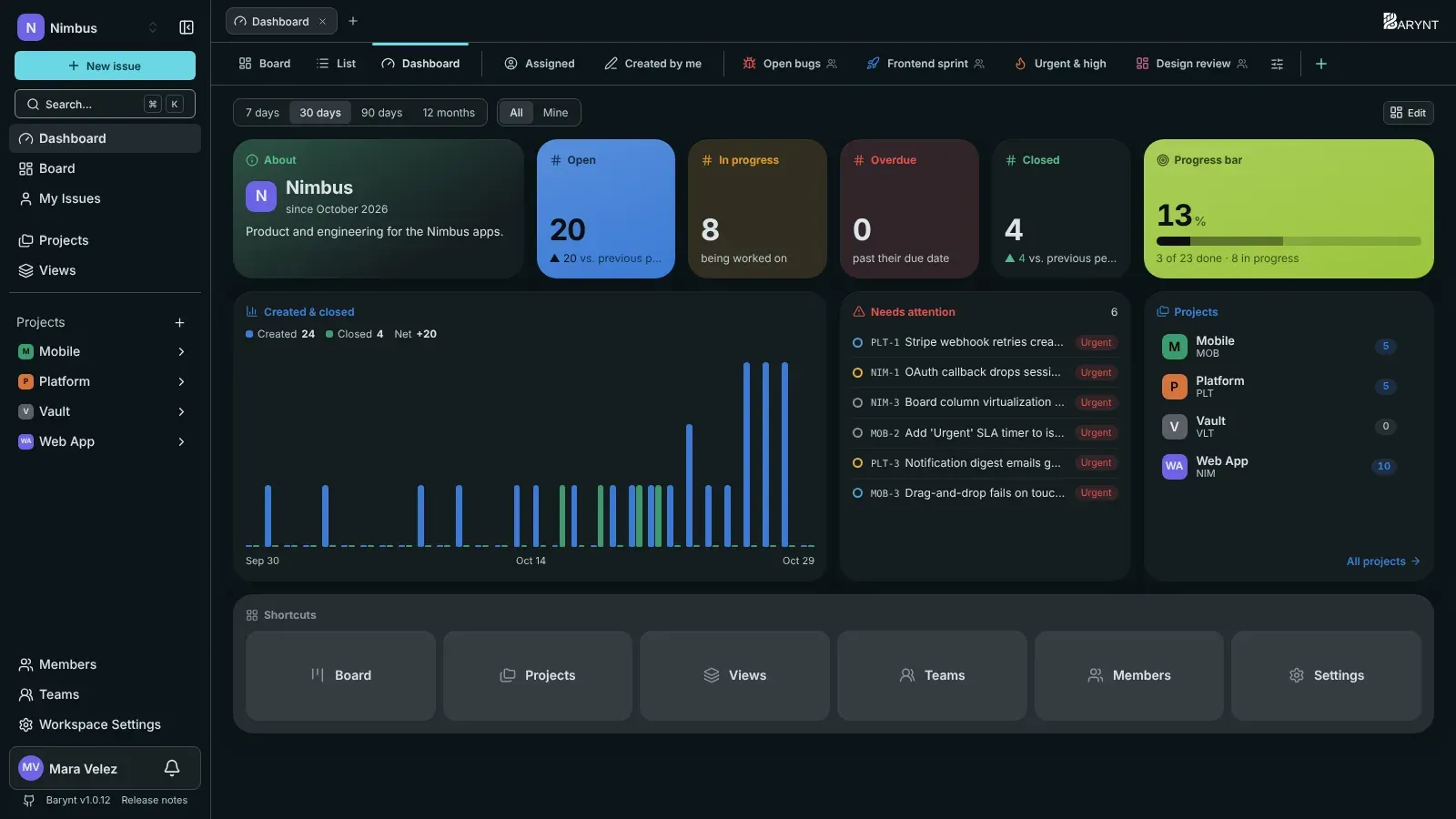
What is Barynt?
Barynt is an issue tracker. In plain words: a shared to-do list for a whole team, built for work that has many moving parts. Every task, bug report and idea becomes an issue that someone owns, that moves through stages (Todo, In Progress, Done), and that keeps its whole story: the discussion, the files, who changed what and when.
If you have used Jira, Linear or Trello, you will feel at home. The difference is that Barynt runs on your own server. Your data stays with you, there is no per-seat price, and the code is open source (MIT).
Who is it for?
- Team leads and managers see where things stand without asking around: dashboards show what is open, what is overdue and where work piles up.
- Product people collect ideas and bugs, sort them, and turn them into a plan that the team can follow on a board.
- Everyone who does the work gets a clear list of what is theirs, a keyboard-friendly interface and an inbox that tells them when something needs them.
- Whoever runs the server gets a simple installer, sign-in with their company login, and a clear record of who did what.
You do not need to be a developer to use Barynt. Only the setup (and the Integrations section) is technical.
What you can do with it
- Capture work. Write issues with formatted text, checklists, images and files. Break big ones into sub-issues and link related ones.
- See it your way. Show the same issues as a board, as a list, or as a saved view with your own filters: “my open bugs”, “everything due this week”.
- Follow the progress. Every project has a dashboard with numbers and charts you can arrange yourself.
- Decide who may do what. Give people roles from “may only read and comment” to “runs the workspace”, or build your own roles.
- Stay in the loop. An inbox tells you when you are assigned, mentioned or replied to, with email as an option.
- Connect other tools. Let your AI assistant create and update issues, or hook up scripts and other systems.
How this guide is organised
| If you want to… | Start here |
|---|---|
| Try Barynt in your first ten minutes | First steps |
| Understand the words Barynt uses | The building blocks |
| Work with issues every day | Using Barynt |
| Invite people and set access | Administration |
| Put Barynt on a server | Install |
| Connect an AI assistant or another tool | Integrations |
How it runs (for the curious)
Barynt is a single web application plus a PostgreSQL database. Two optional extras make it nicer: Redis (to limit how often the API can be called) and S3-compatible storage (for avatars and attachments). The installer puts everything on one server, including HTTPS, in about five minutes. There is a Kubernetes chart for larger setups.